Built for professional dog trainers

The dog trainer app.Train more. Manage less.

Clients, sessions, packages, payments, and every dog's training journey. One place to run, track, and grow your business.

  • 14-day free trial
  • No card required
  • Set up in minutes
Pawmand dashboard on a phone
Agreement signed
Paid by card
Sound familiar?

The training is the easy part.

It's everything around it that eats your evenings. Here's what Pawmand takes off your plate.

Cancellation policy

They cancel an hour before. Again.

Set your policy once: how late is too late, and what you charge for a late cancel or a no-show. Next time it happens, Pawmand works out the fee for you. Charge it, change it, or let it slide this once.

  • A flat fee, a % of the session, or the full price
  • Package session used up or given back, your call
  • Already paid? Refund them in the same step
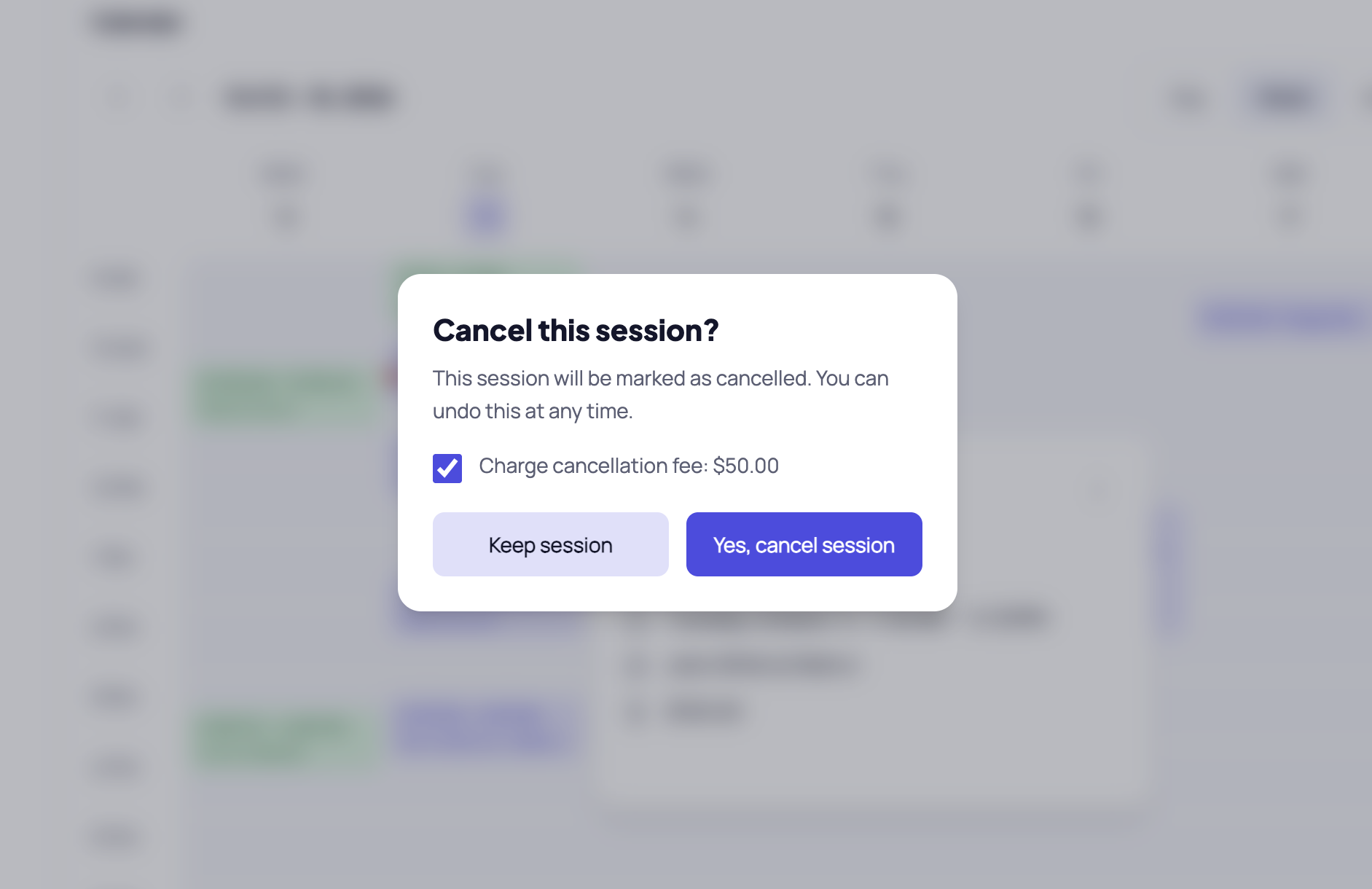
Pawmand suggesting a late cancellation fee
Vaccine tracking

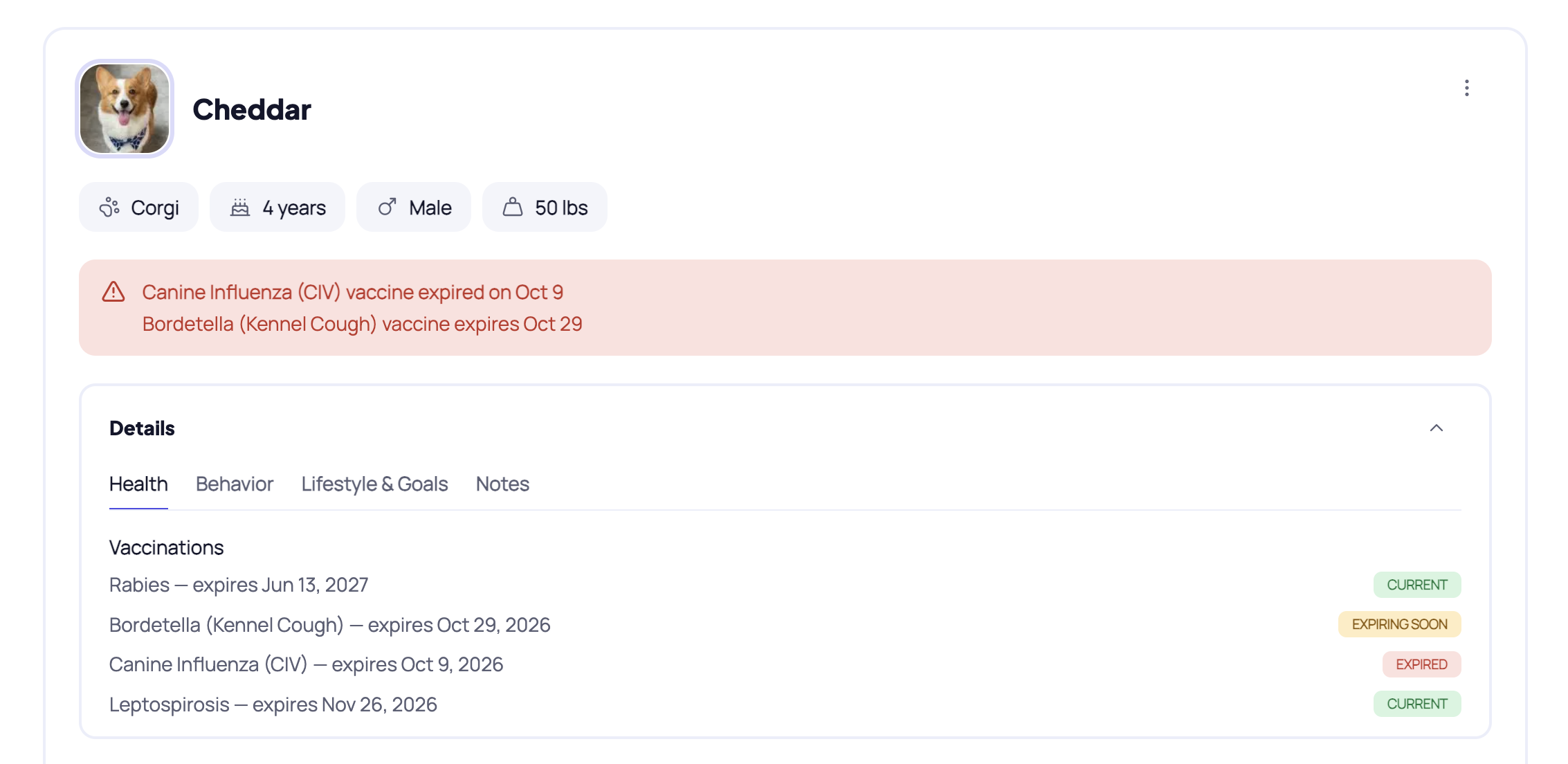
Wait, is Cheddar's rabies shot still current?

Each dog's vaccines sit on their profile with their expiry dates. Pawmand warns you when one has expired or is about to, so you don't have to keep track.

  • Rabies, DHPP, Bordetella, Lepto, Canine Influenza, or your own
  • Owners can add them on your intake form
  • Owners see the same reminder in their portal
A dog's profile in Pawmand with an expiring vaccine warning
What's inside

From first enquiry to paid invoice.

Everything a training business runs on, built around dogs and their owners, not “contacts” and “deals”.

Clients & intake

New clients fill in their own details.

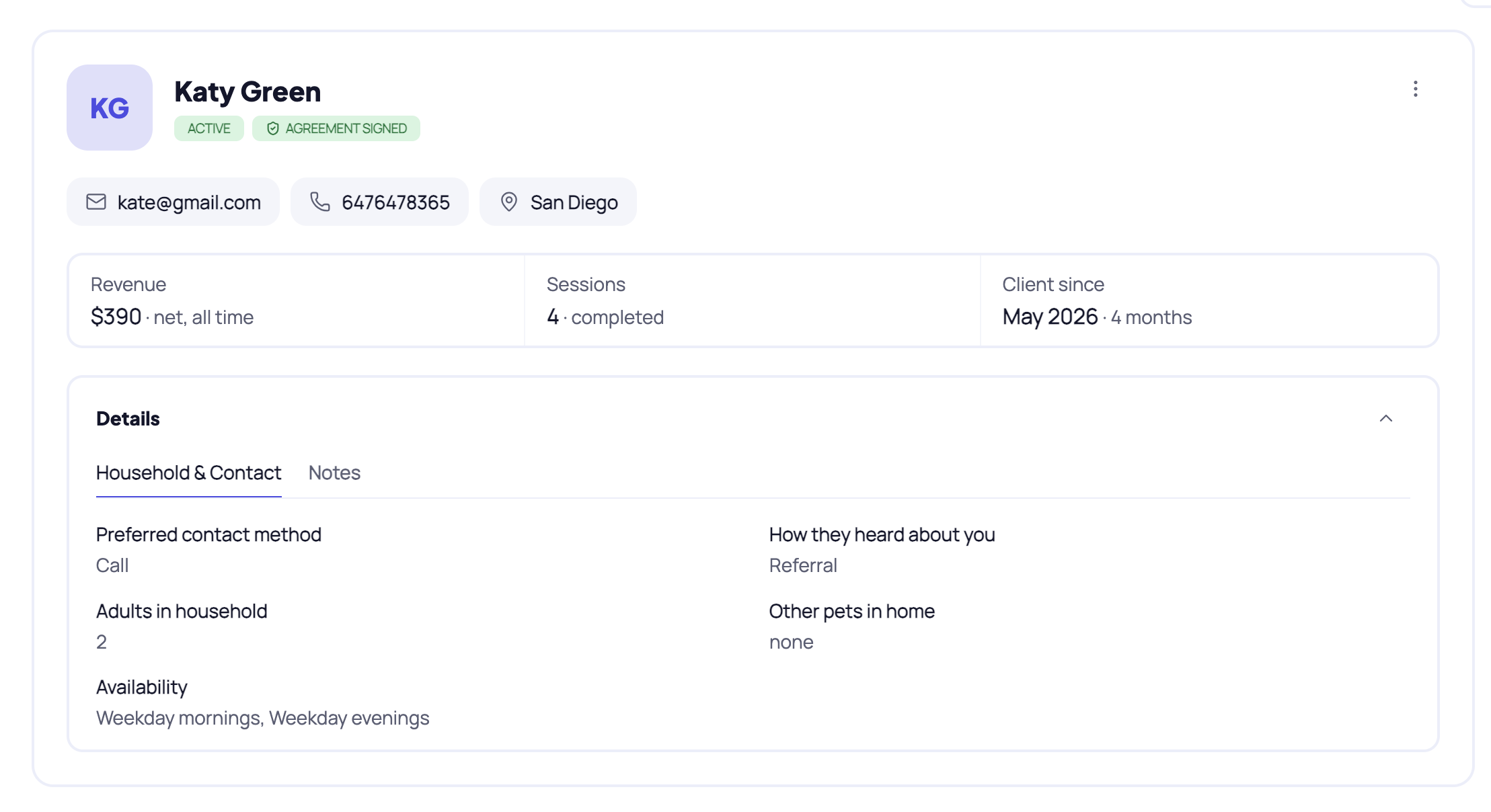
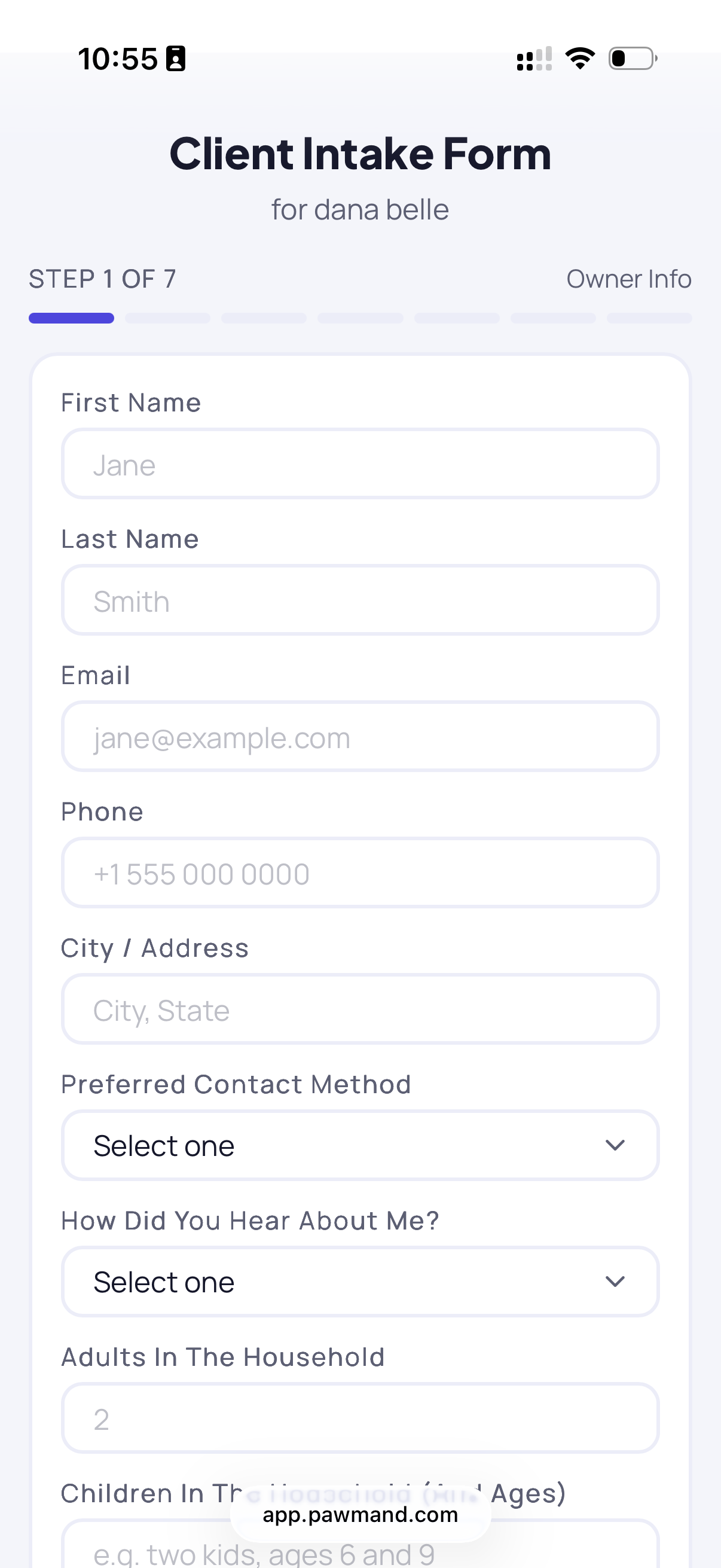
Send your intake link. They tell you about their dog (health, behavior, bite history, routine, what they want to work on), sign your client agreement at the end, and show up in Pawmand as a lead. You didn't type a thing.

  • One profile per owner, with all their dogs
  • Private notes that owners never see
  • Archive old clients instead of deleting them
app.pawmand.com/owners
An owner's profile with their dogs and billing
What your new client fills in
The intake form on a phone
Calendar & packages

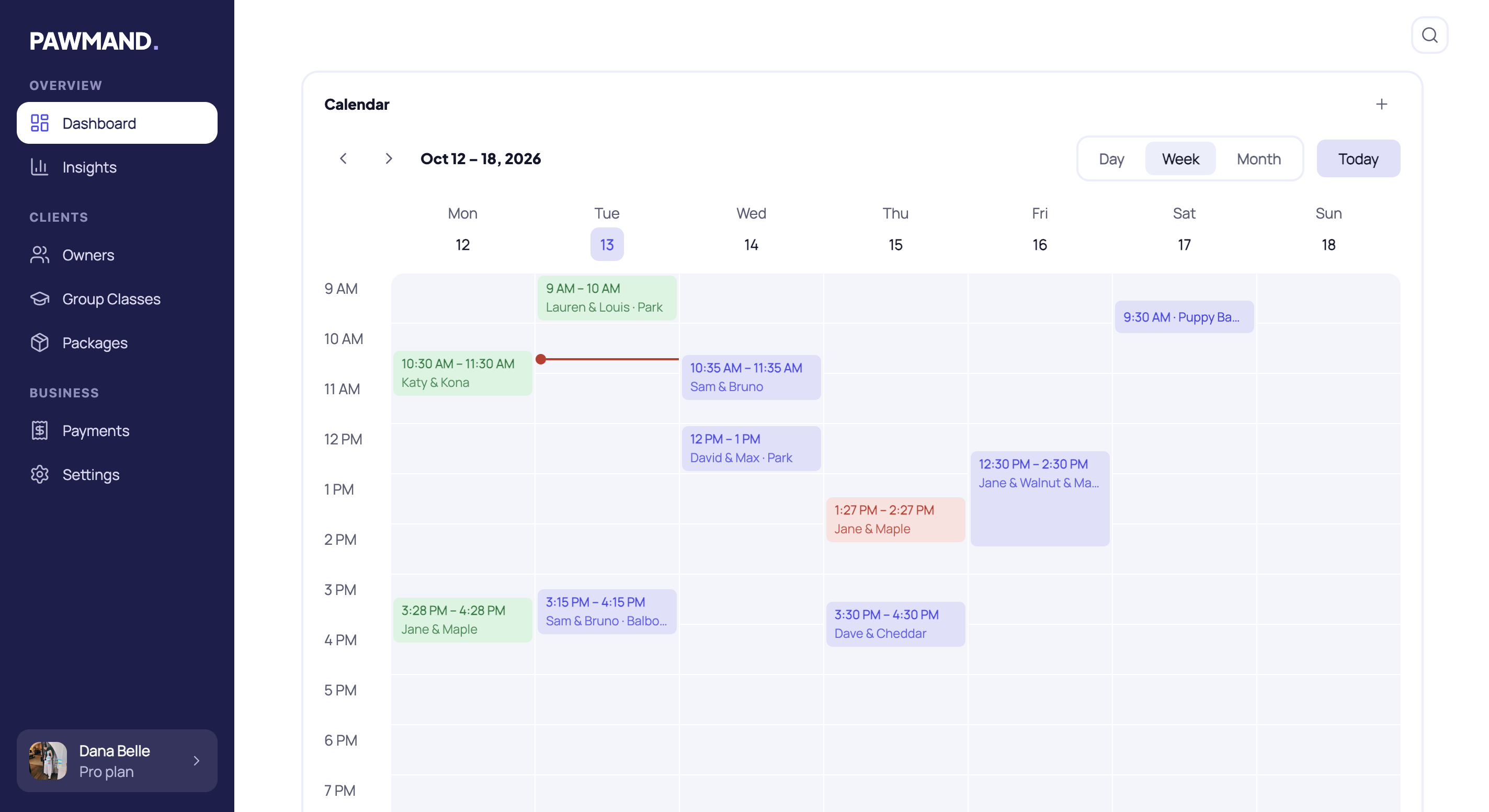
Your whole week on one screen.

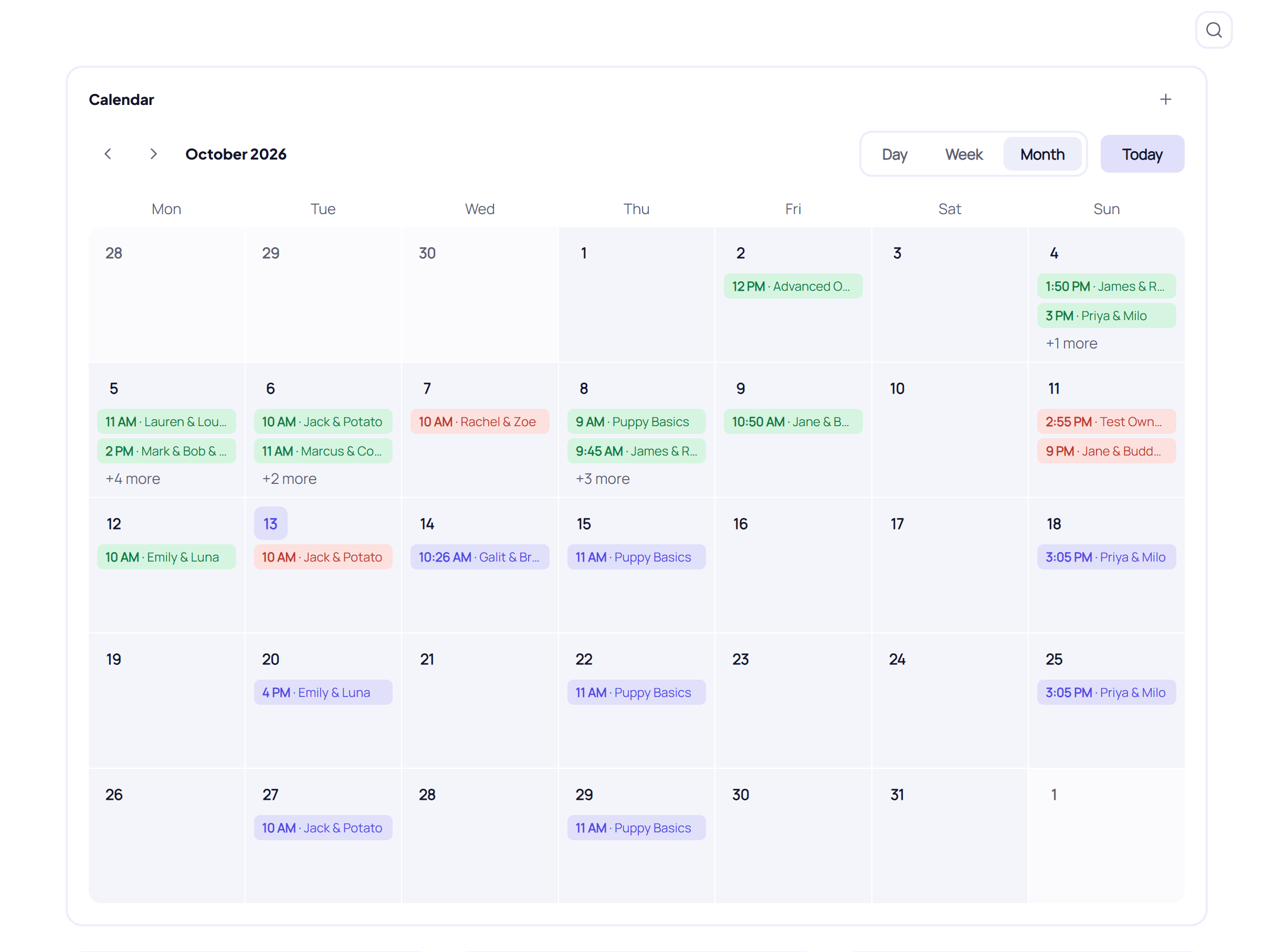
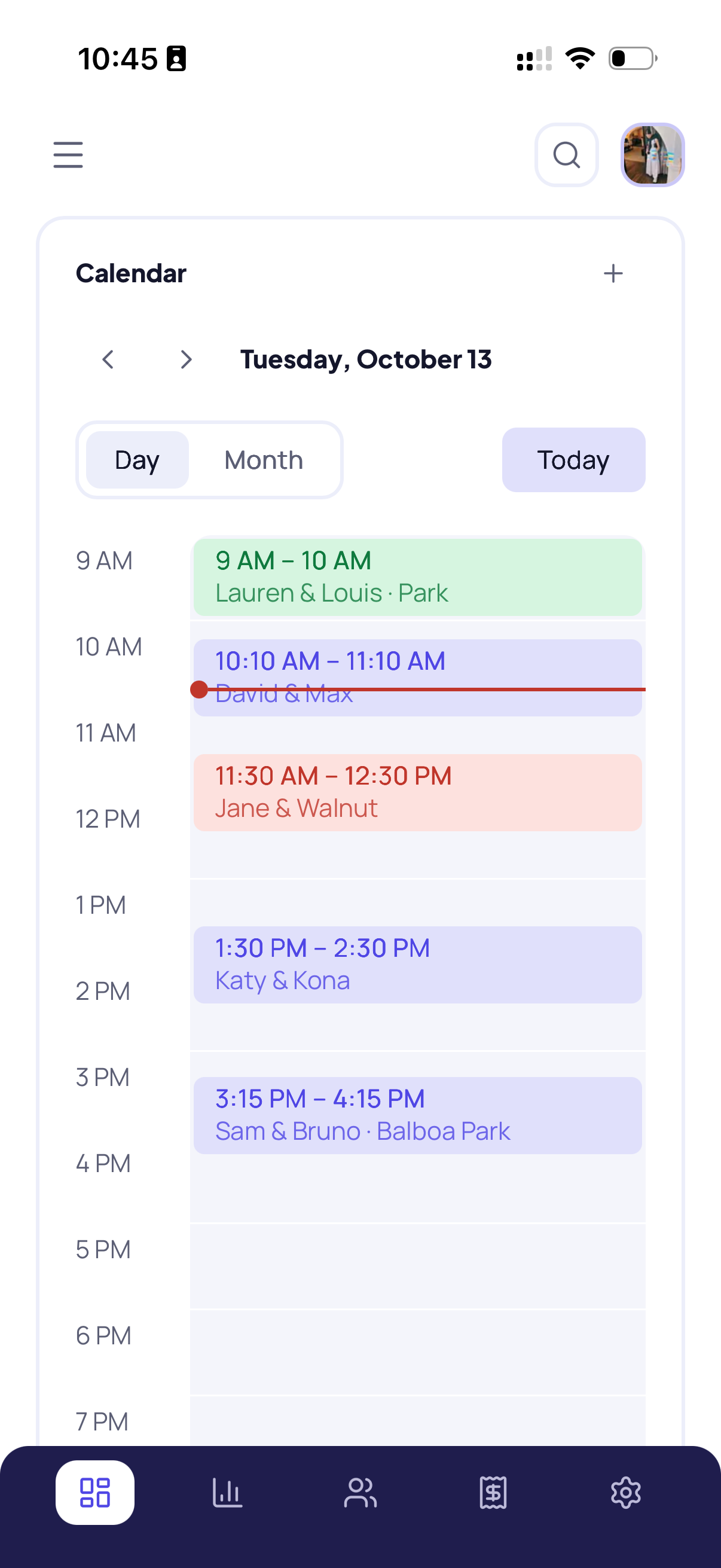
Private sessions and group classes sit side by side, by day, week or month. Set a session to repeat and it's booked until you say stop. Everything you add shows up in your Google Calendar too.

  • Packages with sessions, length, price and expiry
  • Sessions booked on a package count down by themselves
  • One-way sync to Google Calendar
app.pawmand.com/sessions
Month view with private sessions and group classes
Summaries & roadmaps

Show owners the progress they're paying for.

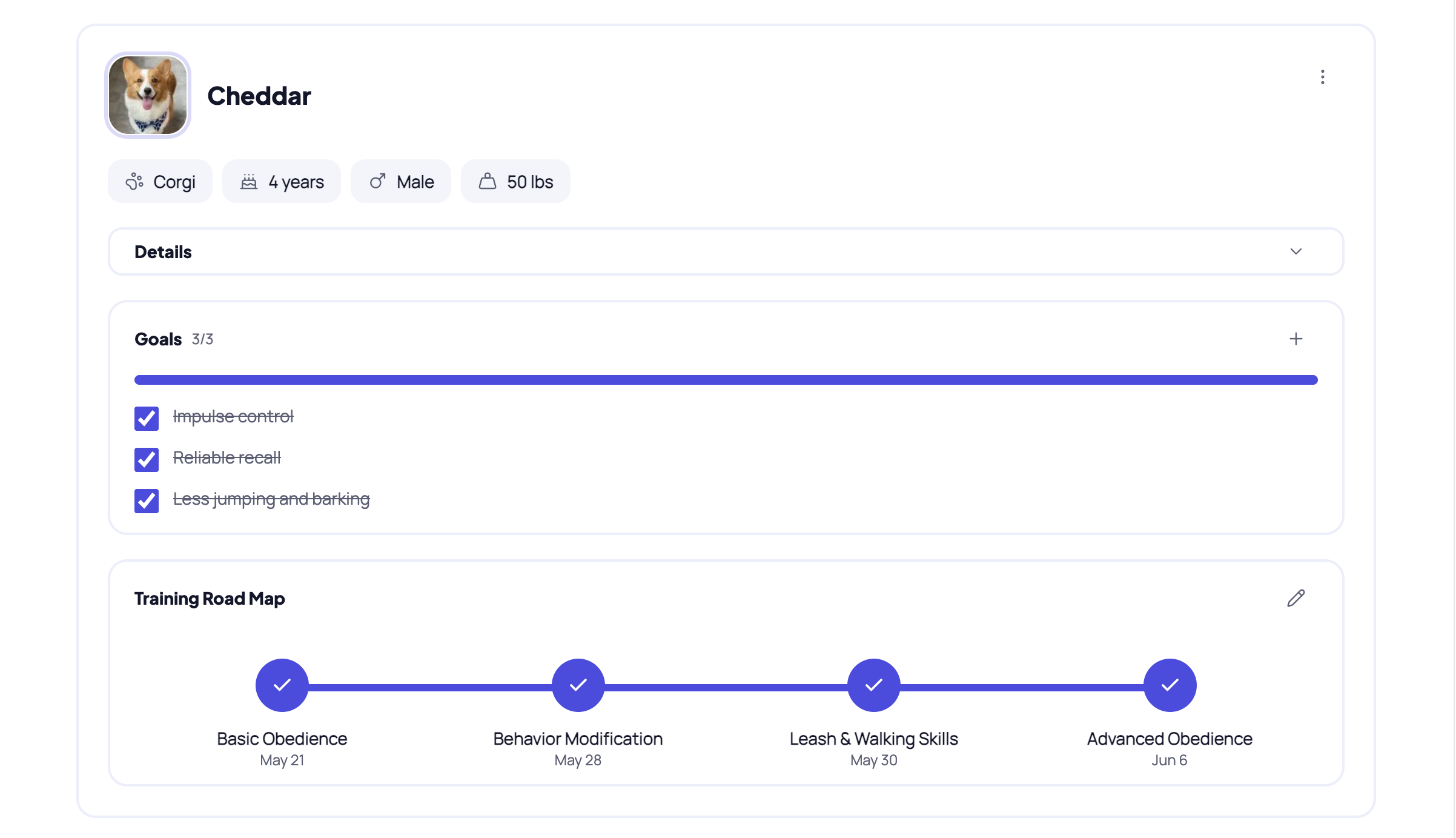
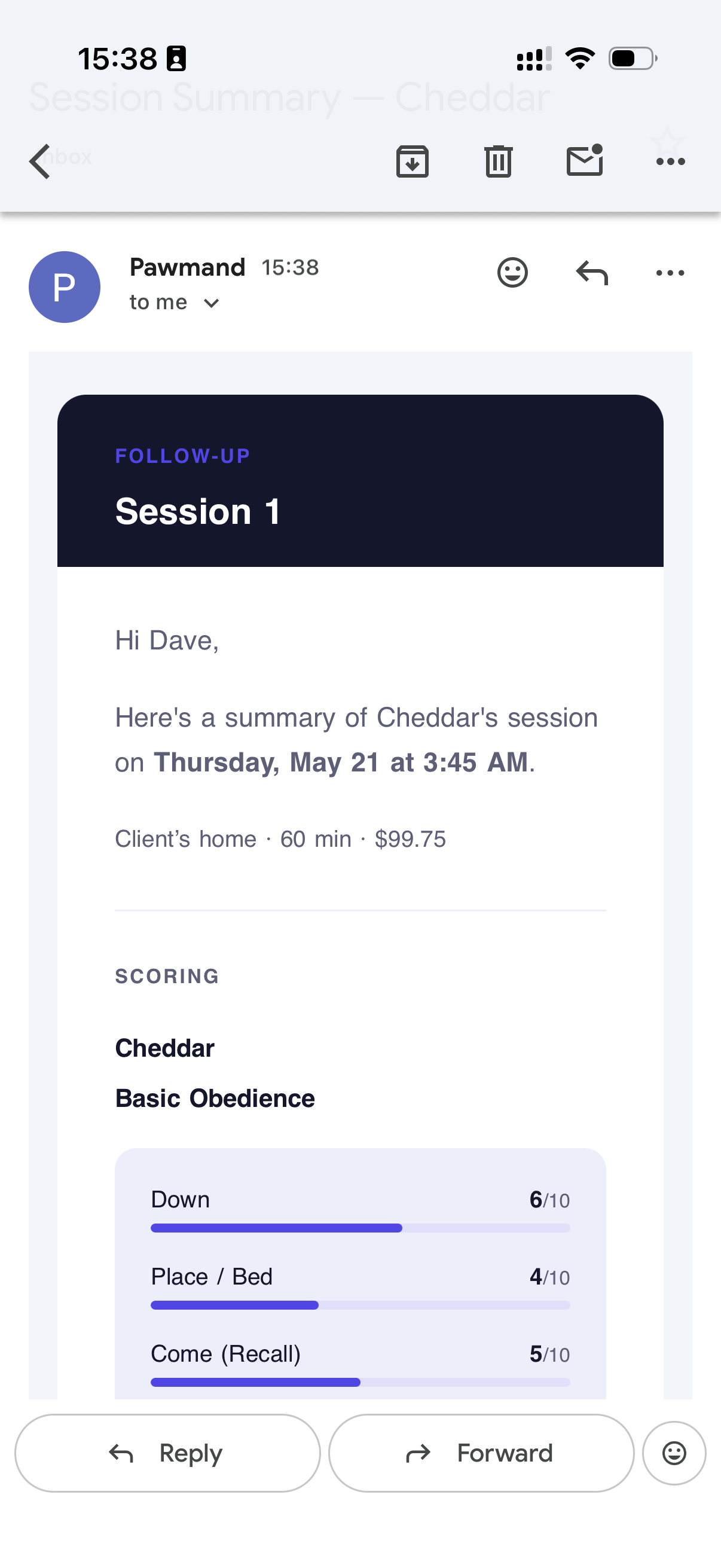
Give each dog a roadmap: the steps and skills you're working towards. After a session, jot down your notes, score the skills, add homework and tick off the step. Owners get it by email, and it's saved in their portal.

  • Skill scores and homework in every summary
  • Roadmap steps linked to each session
  • Emailed to the owner and saved in their portal
app.pawmand.com/dogs
A dog's profile with their training roadmap
The email your client gets
The session summary email an owner receives
Owner portal

Every owner gets their own page. No login, no app.

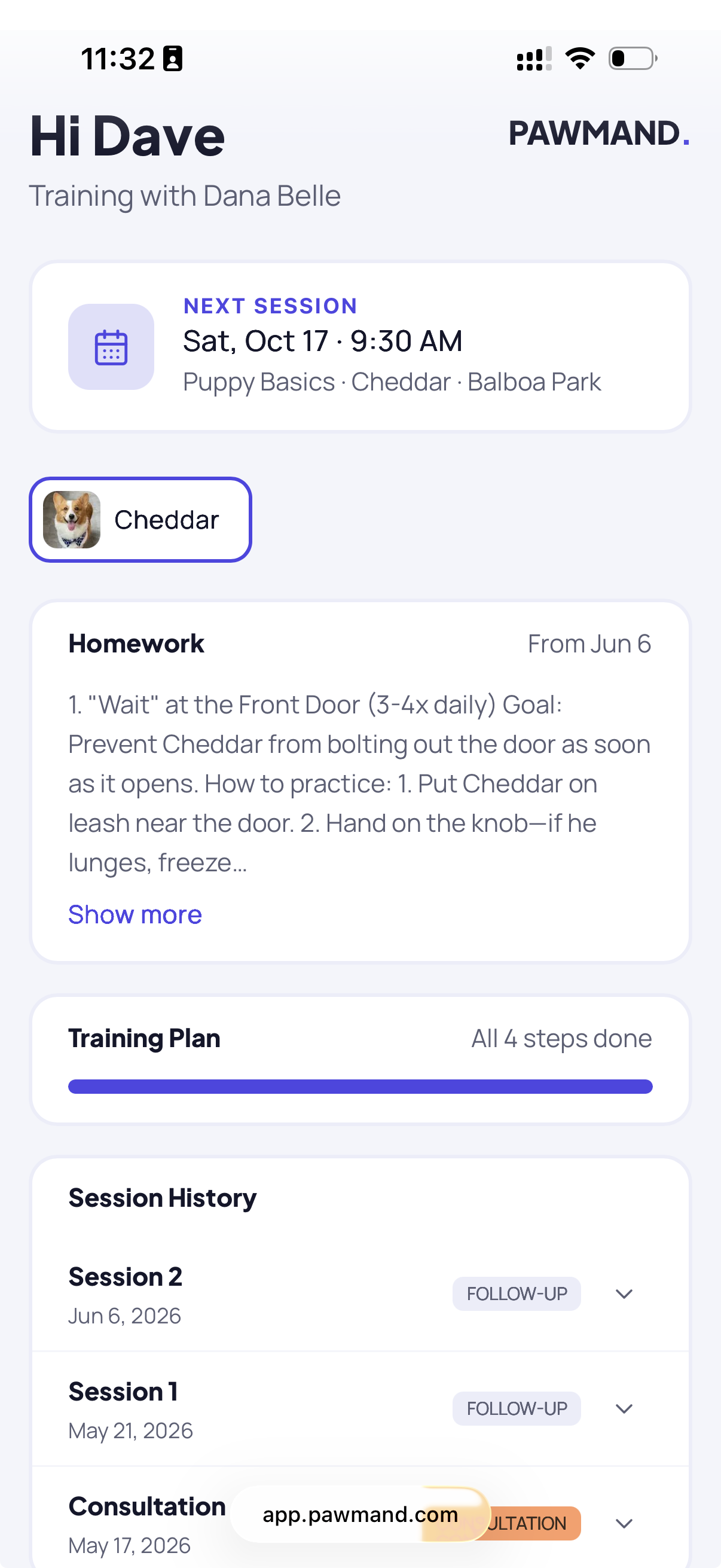
Each client gets a private link with everything about their dog in one spot. Fewer “what were we meant to practice?” texts for you, and owners who can actually see how far their dog has come.

  • Their dogs, summaries and homework
  • Training progress and vaccine reminders
  • Invoices and a Pay button
An owner's portal on a phone
Group classes

Group classes, minus the clipboard.

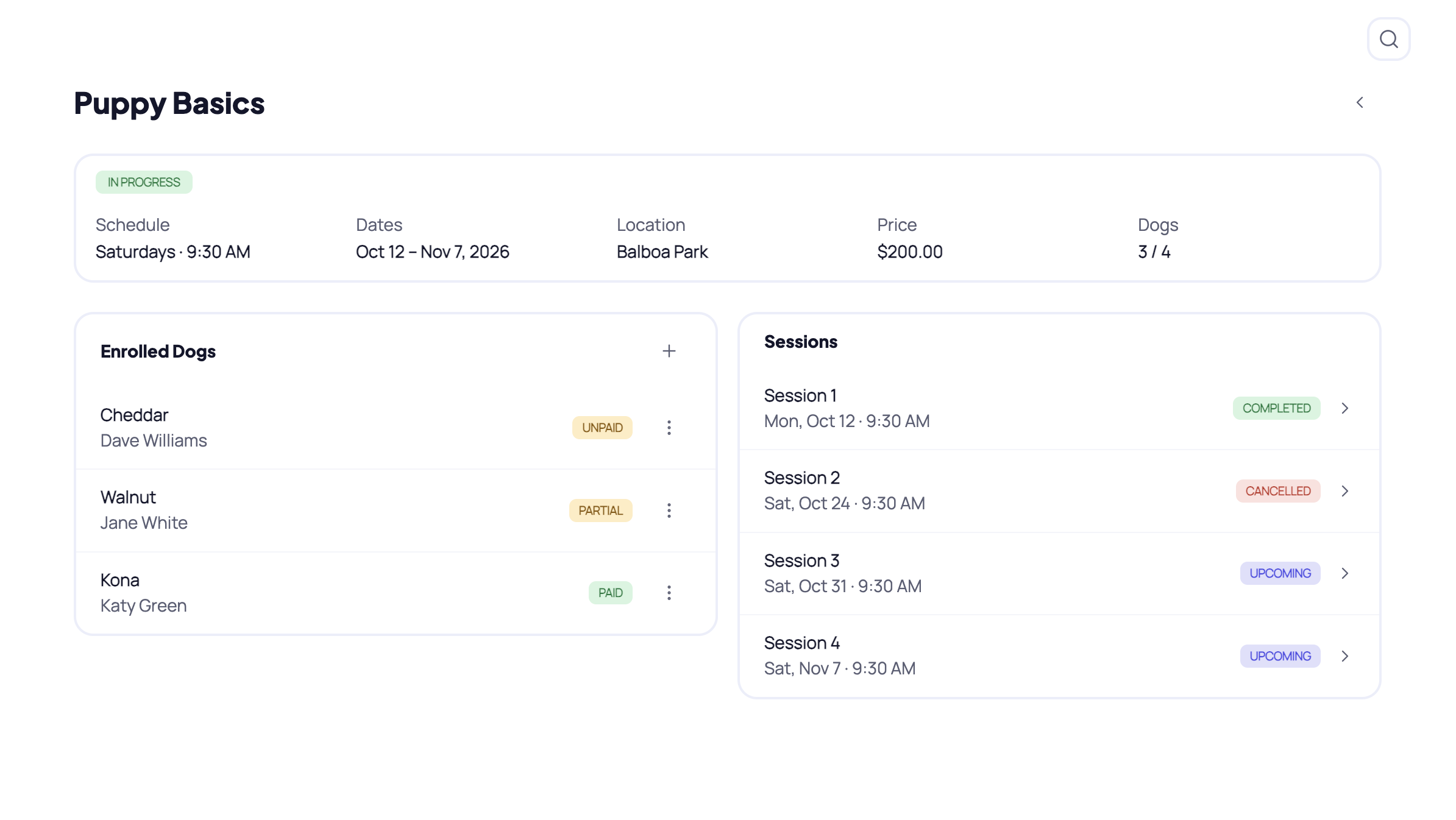
Set up your class types, each with its own roadmap. Schedule a class, enroll dogs up to your capacity and take attendance each week. Write the notes and homework once, and they go to every owner who showed up.

  • Capacity and enrollment per class
  • Attendance for every session
  • Notes and homework saved to every dog who came, and in each owner's portal
app.pawmand.com/classes
A group class session with attendance
Getting paid

Get paid without the awkward follow-up text.

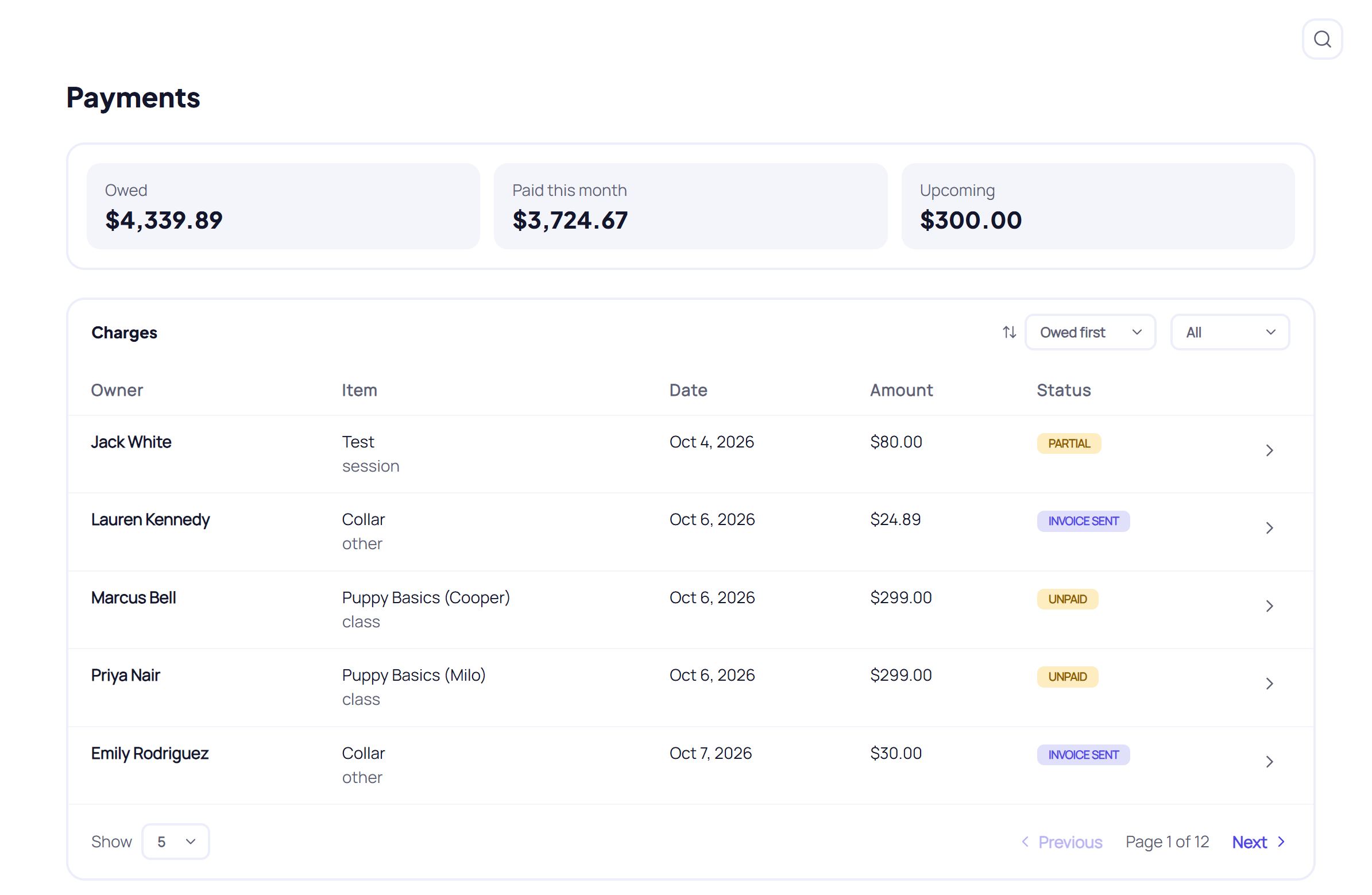
Every session, package and class enrollment turns into something owed, so nothing slips through. Mark it paid when they hand you cash or send a Venmo, or connect Stripe and send an invoice they can pay by card.

  • Cash, Venmo, Zelle, check, card or other
  • You choose who covers the card fees
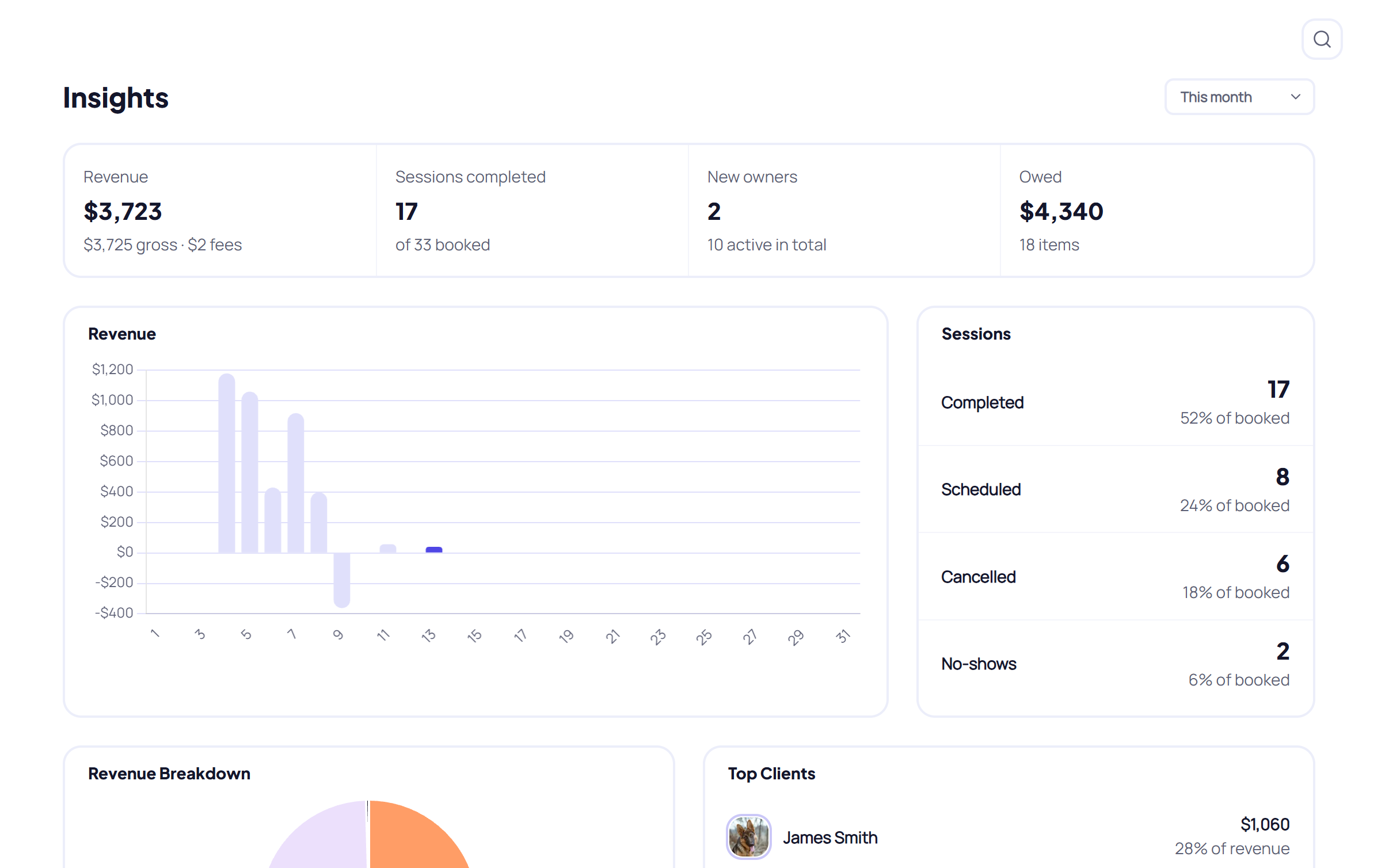
  • Refunds, waived charges and revenue insights
app.pawmand.com/invoices
An invoice in Pawmand
What's in, what's owed
Revenue insights
How it works

You'll be set up in minutes.

When you sign up, a short checklist walks you through the basics. Four steps and you're up and running.

  1. 1

    Add your first client

    Type them in yourself, or send them your intake link and let them do it. They'll sign your agreement at the end, too.

  2. 2

    Book a session

    Pick a day, pick the dog. If they're on a package, Pawmand keeps count.

  3. 3

    Write the summary

    A few notes, the homework, how each skill went. Send it to the owner before you've left the driveway.

  4. 4

    Get paid

    Mark it paid when they hand you cash, or send an invoice they can pay by card.

Start your free trial14-day free trial · No card required
Compared

Spreadsheets work fine. Until they don't.

Here's how Pawmand stacks up against what most trainers are juggling right now.

Pawmand
Spreadsheets
WhatsApp & notes
Generic CRM
Client & dog profiles
–
Partial
Intake form with e-signed agreement
Partial
Vaccine expiry warnings
Late cancel & no-show fees
Partial
Packages that count down
–
Partial
Session summaries & homework
–
Training roadmaps per dog
–
Group classes & attendance
–
Partial
Owner portal, no login
Invoices & card payments
–
Works on your phone
–
Partial
Time to set up
Minutes
Hours
–
Hours

Swipe to compare →

Pricing

Every feature, on every plan.

The only difference is how many clients you have. Try any plan free for 14 days, no card needed.

Basic

For trainers just getting going.

$31/ month

Billed yearly ($372). Save $96.

  • Up to 10 active clients
  • Up to 12 dogs
  • Every feature included
Start free trial

14 days free · No card required

Most popular

Pro

For a full, steady client list.

$47/ month

Billed yearly ($564). Save $144.

  • Up to 30 active clients
  • Up to 45 dogs
  • Every feature included
Start free trial

14 days free · No card required

Unlimited

For busy trainers.

$79/ month

Billed yearly ($948). Save $240.

  • Unlimited clients
  • Unlimited dogs
  • Every feature included
Start free trial

14 days free · No card required

Included on every plan

  • Client & dog profiles
  • Intake forms with e-signature
  • Vaccine tracking & reminders
  • Calendar & Google Calendar sync
  • Packages & repeating sessions
  • Cancellation & no-show fees
  • Session summaries & homework
  • Training roadmaps
  • Group classes & attendance
  • Owner portal
  • Invoices, Stripe & manual payments
  • Revenue insights
Questions

Good questions, straight answers.

Everything. Every feature, for 14 days, and you don't need a card to start. When the trial ends, you add your card and carry on with the plan you picked.

Just how many active clients and dogs you can have. Basic is up to 10 clients and 12 dogs, Pro is up to 30 clients and 45 dogs, and Unlimited has no cap. Every feature is on every plan, and leads and archived clients don't count towards your limit.

No. If your clients pay you in cash, Venmo, Zelle or by check, just mark it as paid in Pawmand. If you'd like them to pay by card, connect Stripe and send invoices with a Pay button. Card payments carry Stripe's standard fee plus a 1% Pawmand fee, and you choose who pays both: you, or the owner.

You set it once in Settings: how close to the session counts as a late cancel, and what you charge for that and for no-shows (nothing, a flat fee, a percentage, or the full price). When it happens, Pawmand suggests the fee and you decide whether to charge it. For package sessions you choose whether it still counts, and if they've already paid you can refund them right there.

No. Each owner gets a private link to their own portal. There's no app and no password. They can see their dogs, your summaries and homework, vaccine reminders and invoices, and pay you from there.

Yes. Pawmand runs in your browser on your phone, tablet or computer, so there's nothing to install. Write the summary on your phone in the car, then look over your week on the laptop at home.

Yes, one way. Sessions and classes you add in Pawmand show up in your Google Calendar. Anything you add straight into Google stays there and doesn't come back into Pawmand.

Yes. Pawmand does a lot, but it's laid out simply, so you won't be hunting for things. When you sign up, a short checklist walks you through adding a client, booking a session, writing a summary and getting paid. And if you do get stuck, send us a message and we'll help.

It's made for independent trainers running their own business, with one trainer per account. It isn't built for facilities with a team of staff.

Ready to get your evenings back?

Start your free trial 14 days free · No card required